
- METHOD TYPEE-wallet
- PAYMENTS

- PAYOUTS

- REFUNDS
- RECURRING
Introduction
The Alipay+ Unified Recurring APM integrates all of Alipay’s existing E-wallets and offers payments in multiple currencies. Merchants do not need to integrate these E-wallets one by one.
Alipay+ Unified Recurring provides:
- Enablement of merchant initiated (MIT) recurring functionality to Alipay Unified aggregate method.’
- Support for partial refunds.
Supported Countries
- Brazil
- China
- Hong Kong
- Indonesia
- Malaysia
- Philippines
- South Korea
- Thailand
Supported Currencies
- BRL
- CNY
- EUR
- HKD
- IDR
- KRW
- MYR
- PHP
- THB
- USD
REST API
Payment (Deposit) Flow
Follow these steps to perform a payment using Nuvei REST API integration:
1. Generate a sessionToken
Press here for details.
2. Send a /payment Request
Perform the payment by sending a /payment request with its mandatory parameters including:
userTokenId– Unique customer identifier in merchant system.amountcurrencypaymentOption.alternativePaymentMethodclass containing:paymentMethod: “apmgw_AlipayUnified“
deviceDetailsclass containing:deviceType,deviceName,deviceOS,browser,ipAddressbillingAddressclass containing:firstName,lastName,email,countryuserDetailsclass containing:firstName,lastName,email,country
Example /payment Request
{
  "sessionToken": "<sessionToken from /getSessionToken&>",
  "merchantId": "<your merchantId>;",
  "merchantSiteId": "<your merchantSiteId>",
  "clientRequestId": "<unique request ID in merchant system>",
  "amount": "200",
  "currency": "HKD",
  "userTokenId": "<unique customer identifier in merchant system>",
  "clientUniqueId": "<unique transaction ID in merchant system>",
  "paymentOption": {
    "alternativePaymentMethod": {
      "paymentMethod": "apmgw_AlipayUnified"
    }
  },
  "deviceDetails": {
    "deviceType": "TABLET",
    "deviceName": "iPad",
    "deviceOS": "iOS",
    "browser": "safari",
    "ipAddress": "<customer's IP address>"
  },
  "billingAddress": {
    "firstName": "John",
    "lastName": "Smith",
    "country": "HK",
    "email": "[email protected]"
  },
  "userDetails": {
    "firstName": "John",
    "lastName": "Smith",
    "country": "HK",
    "email": "[email protected]"
  },
  "timeStamp": "<YYYYMMDDHHmmss>",
  "checksum": "<calculated checksum>"
}
After the transaction is processed, Nuvei sends a Direct Merchant Notification (DMN) that includes the result of the transaction to urlDetails.notificationUrl, which Nuvei recommends including in the /payment request.
Recurring Payment (Registration)
Example Registration Call
{
    "sessionToken": "<sessionToken from /getSessionToken&>",
    "merchantId": "your merchantId",
    "merchantSiteId": "<your merchantSiteId>”,
    "userTokenId": "<unique customer identifier in merchant system>",
    "clientRequestId": "<unique transaction ID in merchant system>",
    "paymentOption": {
        "alternativePaymentMethod": {
            "paymentMethod": "apmgw_AlipayUnified"
        },
            "subMethod": {
        "subMethod": "RECURRING"
    }
    },
    "currency": "CNY",
    "amount": "0",
    "userDetails": {
        "country": "CN"
    },
    "deviceDetails": {
        "deviceType": "DESKTOP",
        "deviceName": "Lenovo",
        "deviceOS": "Win 11",
        "browser": "Firefox",
        "ipAddress": "<customer's IP address>"
    },
    "timeStamp": "{{timestamp}}",
    "checksum": "{{checksum}}",
    "items1": [
        {
            "merchantArticleID": 1,
            "type": "Physical",
            "name": "Test Product 1",
            "quantity": 1,
            "price": 234
        }
    ]
}
Recurring Payment (Subsequent Payment)
Initiate a REST request with a valid UPO previously created through the registration process. Use the UPO and UserTokenId.
Example Subsequent Payment Call
{
    "sessionToken": "<sessionToken from /getSessionToken&>",
    "merchantId": "<your merchantId>",
    "merchantSiteId": ”<your merchantSiteId>"
    "userTokenId": "<unique customer identifier in merchant system>",
    "clientRequestId": "<unique transaction ID in merchant system>",
    "amount": "5000",
    "currency": "EUR",
    "clientUniqueId": "<unique transaction ID in merchant system>",
"paymentOption":{
         "alternativePaymentMethod":{
            "paymentMethod":"apmgw_ AlipayUnified "
                    }
    },
    "deviceDetails": {
        "deviceType": "SMARTPHONE",
        "deviceName": "Generic Android 2.0",
        "deviceOS": "Android 2.0",
        "browser": "Android Webkit",
        "ipAddress": "127.0.0.1"
    },
        "billingAddress":{
        "firstName": "Test",
        "lastName": "Test",
        "phone": "23552535506",
        "address": "Test",
        "city": "Test",
        "zip": "1340000",
        "email":"[email protected]",
        "country":"ID"
    },
    "timeStamp":"{{timestamp}}",
    "checksum":"{{checksum}}"
}
Web SDK
Payment (Deposit) Flow
Follow these steps to perform a payment using Nuvei Web SDK integration.
1. Initiate a Session
Before you can submit payment using the client-side Nuvei Web SDK, you need to send the /openOrder API call with its mandatory parameters, and include the deviceDetails class with deviceType, deviceName, deviceOS, browser, ipAddress.
Example /openOrder Request
{
  "merchantId": "<your merchantId goes here>",
  "merchantSiteId": "<your merchantSiteId goes here>",
  "clientUniqueId": "<unique transaction ID in merchant system>",
  "clientRequestId": "<unique request ID in merchant system>",
  "currency": "USD",
  "amount": "200",
  "deviceDetails": {
    "deviceType": "TABLET",
    "deviceName": "iPad",
    "deviceOS": "iOS",
    "browser": "safari",
    "ipAddress": "<customer's IP address>"
  },
  "urlDetails": {
    "notificationUrl": "<URL to which DMNs are sent>"
  },
  "timeStamp": "<YYYYMMDDHHmmss>",
  "checksum": "<calculated checksum>"
}
2. Initialize the Web SDK
Instantiate the Web SDK with the sessionToken received from the server call to /openOrder.
3. Create an APM Payment
Send a createPayment() request with its mandatory parameters including:
paymentOption.alternativePaymentMethodclass containing:paymentMethod: “apmgw_AlipayUnified“
billingAddressclass containing:firstName,lastName,country,emailuserDetailsclass containing:firstName,lastName,country,email
Example createPayment() Request
sfc.createPayment({
    sessionToken: "<sessiontoken>",
    paymentOption: {
      alternativePaymentMethod: {
        paymentMethod: "apmgw_AlipayUnified",
      }
    },
    billingAddress: {
      firstName: "John",
      lastName: "Smith",
      country: "HK",
      email: "[email protected]"
    },
    userDetails: {
      firstName: "John",
      lastName: "Smith",
      country: "HK",
      email: "[email protected]"
    },
  },
  function(res) {
    console.log(res);
  });
After the transaction is processed, Nuvei sends a Direct Merchant Notification (DMN) that includes the result of the transaction to urlDetails.notificationUrl, which Nuvei recommends including in the /openOrder request.[/single_tab][/ult_tab_element]
Example Payment DMN with Status=APPROVED
...'ppp_status=OK&Status=APPROVED&ExErrCode=0&ErrCode=0&errApmCode=0&errApmDescription=&errScCode=0&errScDescription=&Reason=&ReasonCode=0&PPP_TransactionID=43707031&userid=TestySDK_20240909161400&merchant_unique_id=&customData=&productId=&first_name=John&last_name=Smith&email=john.smith%40email.com¤cy=HKD&customField1=&customField2=&customField3=&customField4=&customField5=&customField6=&customField7=&customField8=&customField9=&customField10=&customField11=&customField12=&customField13=&customField14=&customField15=&invoice_id=&address1=123+test+str&address2=&country=HK&state=&city=Hong+Kong&zip=12345&phone1=14161238888&phone2=&phone3=&client_ip=79.112.52.138&nameOnCard=&cardNumber=&bin=&noCVV=&acquirerId=&acquirerBank=AlipayPlusMS-PI&expMonth=&expYear=&Token=&tokenId=&AuthCode=&AvsCode=&Cvv2Reply=&shippingCountry=HK&shippingState=&shippingCity=iasi&shippingAddress=&shippingZip=&shippingFirstName=&shippingLastName=&shippingPhone=&shippingCell=&shippingMail=&total_discount=0.00&total_handling=0.00&total_shipping=0.00&total_tax=0.00&buyButtonProductBundleId=&merchant_site_id=242181&merchant_status=&action=&requestVersion=&message=APPROVED&merchantLocale=&unknownParameters=&payment_method=apmgw_AlipayUnified&ID=&merchant_id=5634436935940029474&responseTimeStamp=2024-09-09.13%3A15%3A01&buyButtonProductId=&webMasterId=&appliedPromotions=&uniqueCC=&transactionType=Sale&externalEmail=&cardCompany=&eci=&user_token_id=TestySDK_20240909161400&userPaymentOptionId=2153401661&TransactionID=2610000000000059065&ExternalaccountID=2102209000001378294B6&externalTransactionId=20240909190741010009H0006775815&APMReferenceID=A083EA0D2A04B0EF605573E74C48DD77&orderTransactionId=24970861&totalAmount=12.00&dynamicDescriptor=static+test&item_name_1=NA&item_number_1=&item_amount_1=12.00&item_quantity_1=1&item_discount_1=0.00&item_handling_1=0.00&item_shipping_1=0.00&feeAmount=&amountWithoutFee=&houseNumber=&customCurrency=&externalToken_blockedCard=&externalToken_cardAcquirerId=&externalToken_cardAcquirerName=&externalToken_cardBin=&externalToken_cardBrandId=&externalToken_cardBrandName=&externalToken_cardExpiration=&externalToken_cardLength=&externalToken_cardMask=&externalToken_cardName=&externalToken_cardTypeId=&externalToken_cardTypeName=&externalToken_clubName=&externalToken_creditCompanyId=&externalToken_creditCompanyName=&externalToken_extendedCardType=&externalToken_Indication=&externalToken_tokenValue=&externalToken_tokenProvider=&ECIRaw=&cryptogram=&maskedNetworkTokenNumber=&upoRegistrationDate=20240909&type=DEPOSIT&clientRequestId=&relatedTransactionId=&apmPayerInfo=%5B%5D&sessionId=6eb7c5431b547a0694a6d1f92659&responsechecksum=e0cf28c46151e5ebb4f3d7d5b18e622a&advanceResponseChecksum=9f99fd95bd9f0ed9e3602ecc1698c07b',
User Experience
- From the payment method gallery, the user selects Alipay+ Unified, is redirected to the Alipay+ website, and then selects one of the E-wallets.
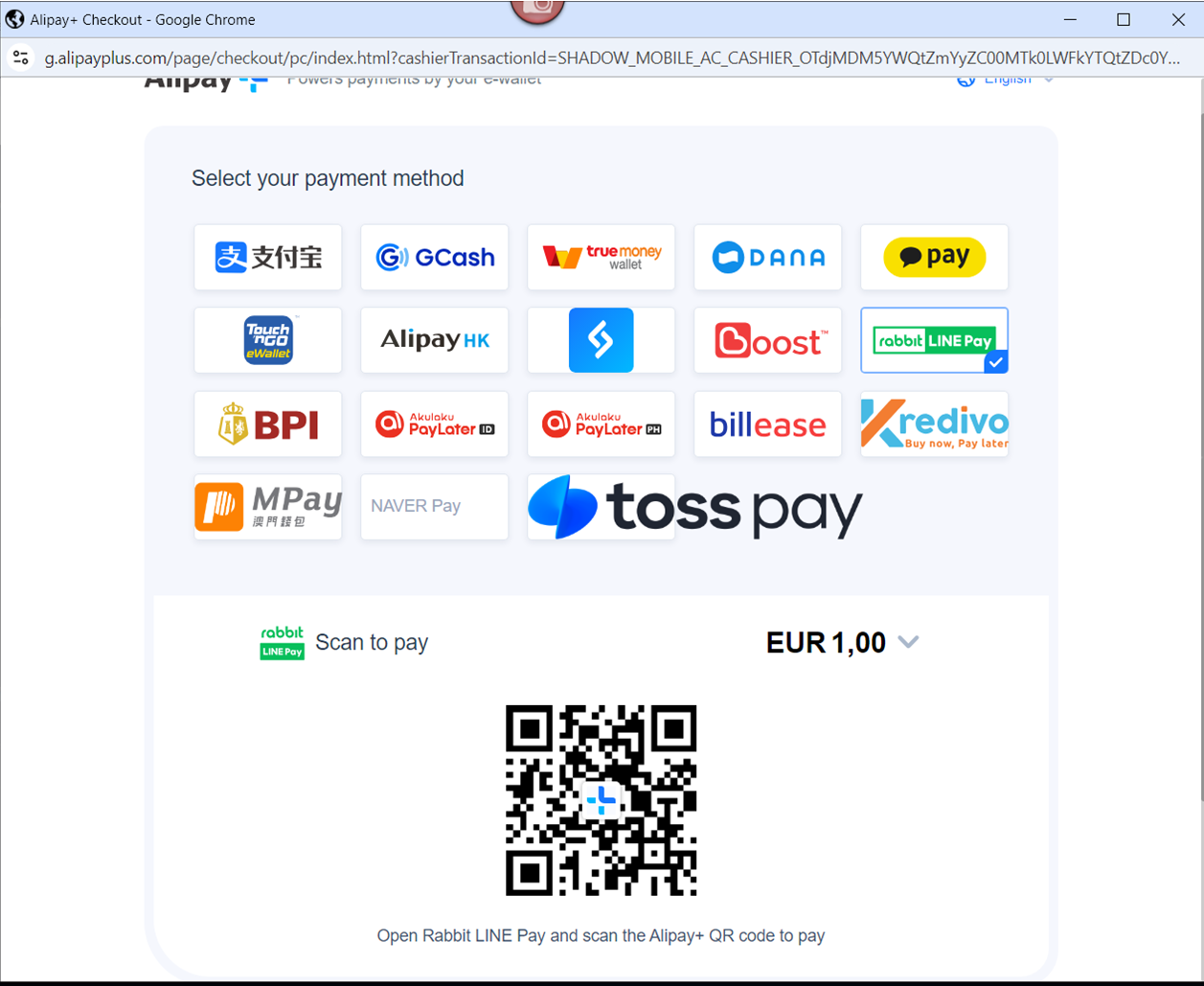
- The user opens the Alipay mobile app, scans the QR code, and completes the payment.
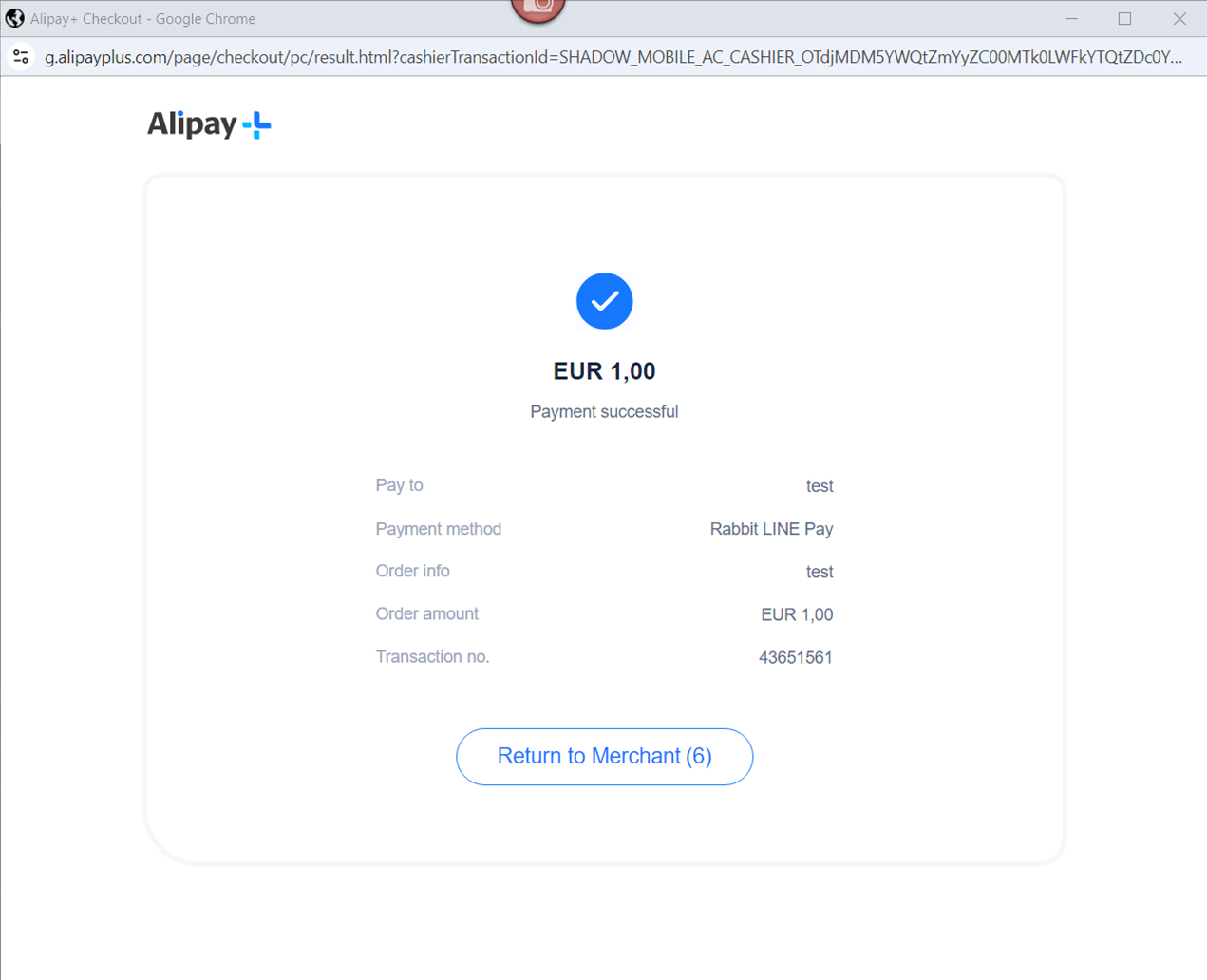
- The user receives confirmation for the successful payment and is redirected back to the merchant’s website.
Testing
Test credentials and testing scenarios can be provided by Nuvei, if necessary. Contact Nuvei support for assistance.
 Last modified January 2026