

- METHOD TYPEE-wallet
- PAYMENTS

- PAYOUTS

- REFUNDS
- RECURRING
Introduction
LINE Pay is a payment method available in Taiwan that allows a user to make a purchase using the LINE Pay mobile app. After a user selects the LINE Pay payment method and either logs in to the LINE Pay website or scans a QR code using a mobile phone, the user completes the payment using the LINE Pay mobile app.
Supported Countries
- Taiwan
Supported Currencies
- TWD
REST API 1.0
Payment (Deposit) Flow
To perform a payment using Nuvei REST 1.0 API integration:
1. Generate a sessionToken.
2. Perform the payment by sending a /payment request with the following mandatory parameters:
userTokenIdamountcurrencypaymentOption.alternativePaymentMethodclass containing:paymentMethod: “apmgw_LINE_Pay“
deviceDetailsclass containing:ipAddress
billingAddressclass containing:country
urlDetailsclass containing:successUrlfailureUrlpendingUrl
Example /payment Request
{
    "sessionToken": "<sessionToken from /getSessionToken>",
    "merchantId": "<your merchantId>",
    "merchantSiteId": "<your merchantId>",
    "clientRequestId": "<unique request ID in merchant system>",
    "userTokenId": "<unique customer identifier in merchant system>",
    "clientUniqueId": "<unique transaction ID in merchant system>",
    "currency": "TWD",
    "amount": "10",
    "paymentOption": {
        "alternativePaymentMethod": {
            "paymentMethod": "apmgw_LINE_Pay"
        }
    },
    "deviceDetails": {
         "ipAddress": "127.0.0.1"
},
    "urlDetails": {
        "successUrl": "<http://merchantsuccessURL.html?deep_link=parameter>",
        "failureUrl": "<http://merchantfailureURL.html?deep_link=parameter>",
        "pendingUrl": "<http://merchantpendingURL.html?deep_link=parameter>"
    },
    "billingAddress": {
        "country": "TW"
    },
    "timeStamp": "<YYYYMMDDHHmmss>",
    "checksum": "<calculated checksum>"
}
Example /payment Response
{
    "internalRequestId": 720458111,
    "status": "SUCCESS",
    "errCode": 0,
    "reason": "",
    "merchantId": "5634436935940029474",
    "merchantSiteId": "242181",
    "version": "1.0",
    "clientRequestId": "20260723112729",
    "sessionToken": "46e8f021f34d4615b33ca705ee30ab720111",
    "clientUniqueId": "20180327175242",
    "orderId": "552198111",
    "userTokenId": "Test231232131",
    "paymentOption": {
        "redirectUrl": "https://sandbox-web-pay.line.me/web/payment/wait?transactionReserveId=Z2t4a29oQmtJaFB3M0FNZm9QeFVxdWFvZXJoY1loWHp1TWZMSFcyYnBmL09pdUxNNUZSZitxUncwa2hHUWhFbw",
        "userPaymentOptionId": "230766984111",
        "card": {}
    },
    "transactionStatus": "REDIRECT"
}
After the transaction is processed, Nuvei sends a Direct Merchant Notification (DMN) that includes the result of the transaction to the URL provided in urlDetails.notificationUrl, which Nuvei recommends including in the /payment request.
Example /payment DMN with Status=APPROVED
...'ppp_status=OK&Status=APPROVED&ExErrCode=0&ErrCode=0&errApmCode=0&errApmDescription=&errScCode=0&errScDescription=&Reason=&ReasonCode=0&PPP_TransactionID=552198111&userid=Test231232131&merchant_unique_id=20180327175242&customData=&productId=&first_name=&middle_name=&last_name=&email=¤cy=TWD&clientUniqueId=20180327175242&customField1=&customField2=&customField3=&customField4=&customField5=&customField6=&customField7=&customField8=&customField9=&customField10=&customField11=&customField12=&customField13=&customField14=&customField15=&invoice_id=&address1=&address2=&country=Taiwan&state=&city=&zip=&phone1=&phone2=&phone3=&client_ip=&nameOnCard=&cardNumber=&bin=&noCVV=&acquirerId=&acquirerBank=LinepayMS-PI&expMonth=&expYear=&Token=&tokenId=&AuthCode=&AvsCode=&Cvv2Reply=&shippingCountry=&shippingState=&shippingCity=&shippingAddress=&shippingZip=&shippingFirstName=&shippingLastName=&shippingPhone=&shippingCell=&shippingMail=&total_discount=0.00&total_handling=0.00&total_shipping=0.00&total_tax=0.00&buyButtonProductBundleId=&merchant_site_id=242181&merchant_status=&action=&requestVersion=&message=APPROVED&merchantLocale=&unknownParameters=&payment_method=apmgw_LINE_Pay&ID=&merchant_id=5634436935940029474&responseTimeStamp=2026-07-23.08%3A29%3A17&buyButtonProductId=&webMasterId=&appliedPromotions=&uniqueCC=&transactionType=Sale&externalEmail=&cardCompany=&eci=&user_token_id=Test231232131&userPaymentOptionId=230766984111&TransactionID=2610000000000621787&externalTransactionId=2026072302370710910&APMReferenceID=E5730FA615BF9F3B11800A981A090CEC&orderTransactionId=2962549111&totalAmount=10.00&dynamicDescriptor=static+test&item_name_1=NA&item_number_1=&item_amount_1=10.00&item_quantity_1=1&item_discount_1=0.00&item_handling_1=0.00&item_shipping_1=0.00&feeAmount=&amountWithoutFee=&houseNumber=&customCurrency=&externalToken_blockedCard=&externalToken_cardAcquirerId=&externalToken_cardAcquirerName=&externalToken_cardBin=&externalToken_cardBrandId=&externalToken_cardBrandName=&externalToken_cardExpiration=&externalToken_cardLength=&externalToken_cardMask=&externalToken_cardName=&externalToken_cardTypeId=&externalToken_cardTypeName=&externalToken_clubName=&externalToken_creditCompanyId=&externalToken_creditCompanyName=&externalToken_extendedCardType=&externalToken_Indication=&externalToken_tokenValue=&externalToken_tokenProvider=&ECIRaw=&cryptogram=&maskedNetworkTokenNumber=&upoRegistrationDate=20260723&type=DEPOSIT&clientRequestId=20260723112729&relatedTransactionId=&apmPayerInfo=%7B%22method%22%3A%22CREDIT_CARD%22%2C%22maskedCreditCardNumber%22%3A%22************1111%22%7D&sessionId=e163db5aed785ab21b3f570f7673&responsechecksum=f6af58a8d296f75aaa2e6979a513ebfc&advanceResponseChecksum=98dbed13a49ee93a91a97fe2cadaa887',
User Experience
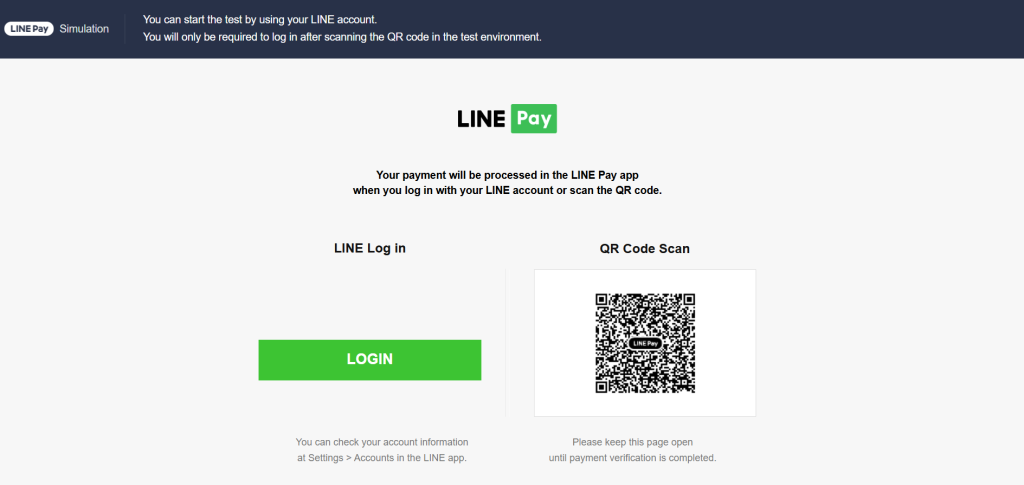
- The user is redirected to the LINE Pay website.
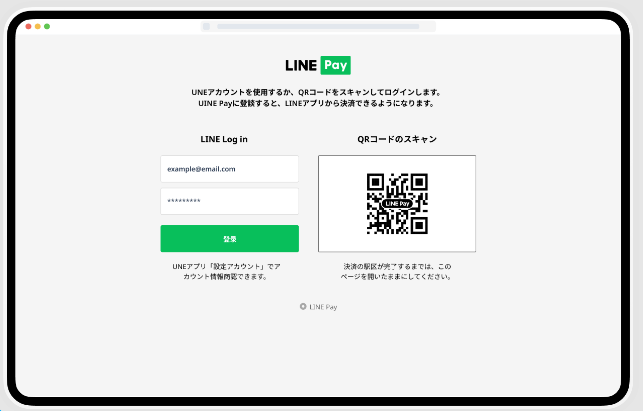
- The user logs in or scans the QR code using a mobile phone.
- The user receives a notification on the mobile phone and the user taps on the notification.
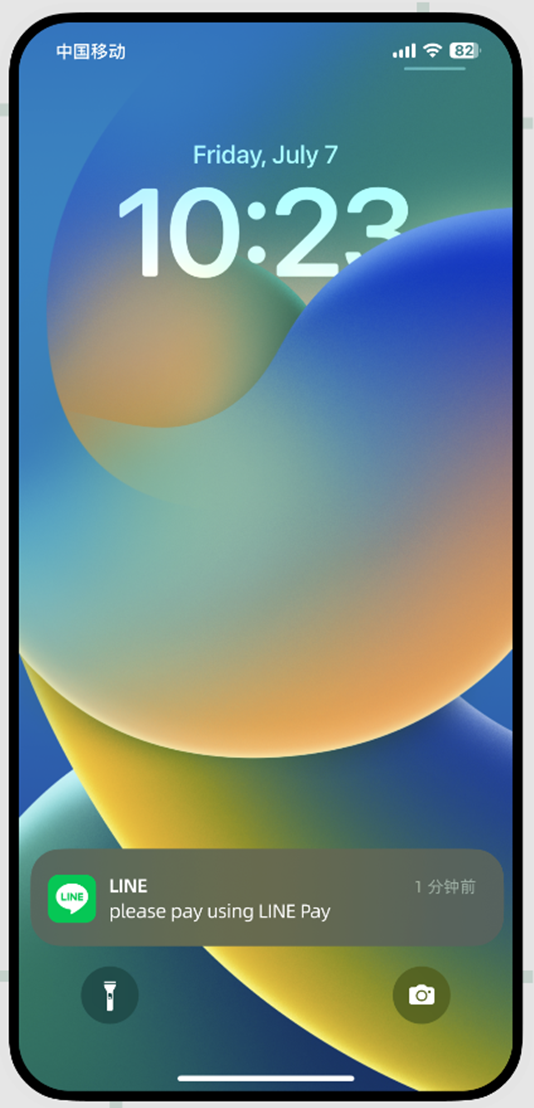
- The LINE Pay app opens and the user selects a payment funding source.
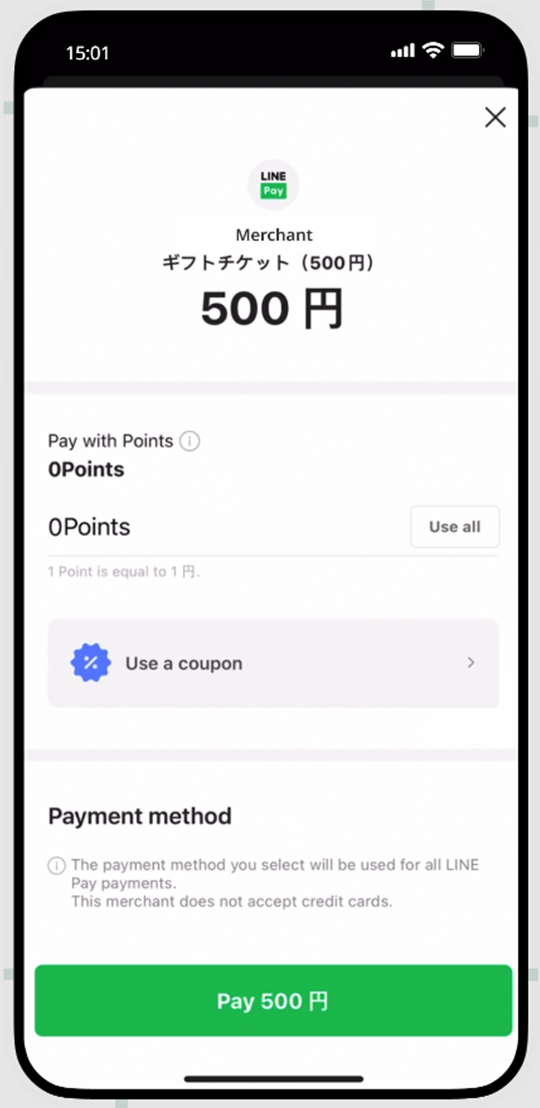
- The user confirms the payment details.
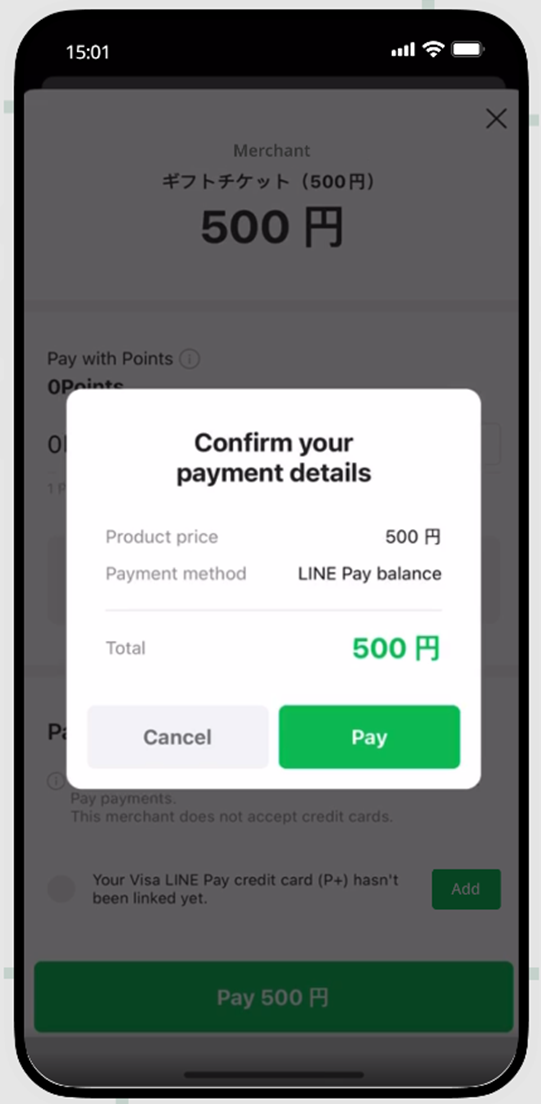
- The user enters the passcode.
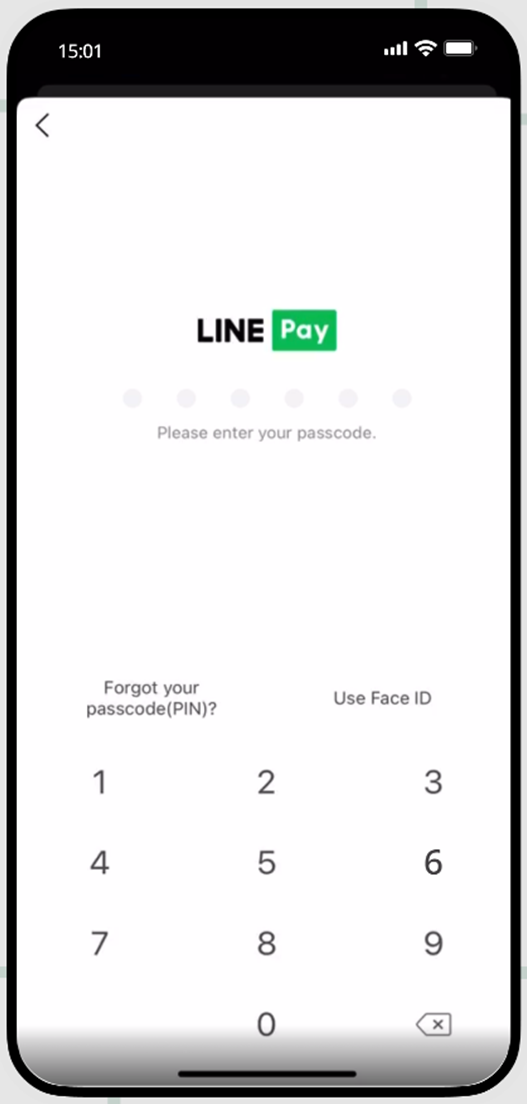
- Upon completion of payment, the user can return to the service page or view the purchase details.
Testing
Test LINE Pay transactions using the following information.
1. The user must download and install the LINE Pay app and then create an account.
2. The user is redirected to the LINE Pay website where the user scans the QR code with his mobile phone, follows the redirect, and agrees to open the app.
2. The user presses ‘Pay Now’.
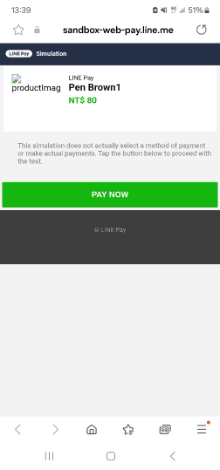
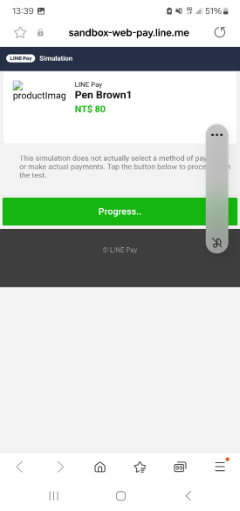
While the payment processing is in progress, a ‘Progress’ status message is displayed .
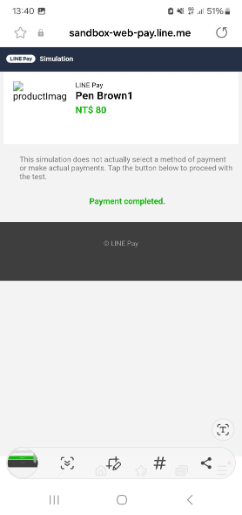
When the payment process is complete, the progress status changes to ‘Payment completed’.
The user is redirected back to the first screen of the payment flow.
 Last modified October 2026